macOS menu bar app
AI clipboard actions.
Instant. Private.
Copy anything. Hit ⌘⇧V. Pick an action. On-device AI transforms it in seconds. No cloud, no API keys, nothing leaves your Mac.
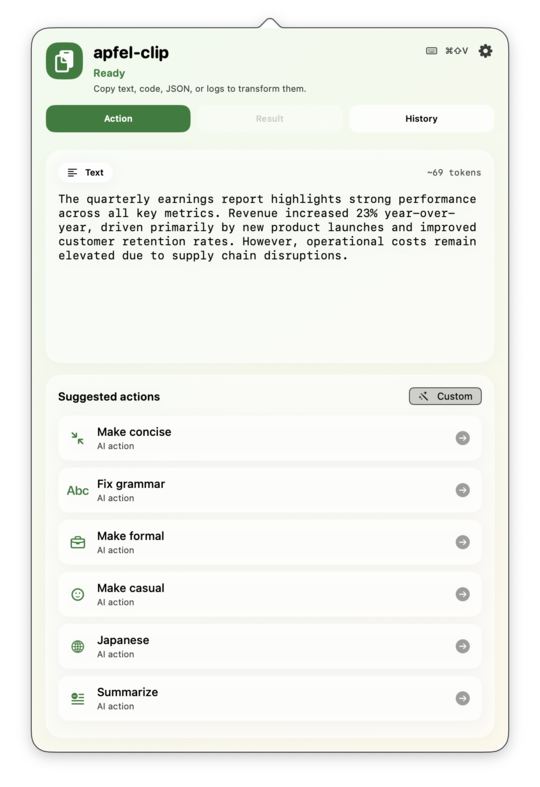
Copy anything. Hit ⌘⇧V. Pick an action. On-device AI transforms it in seconds. No cloud, no API keys, nothing leaves your Mac.
No setup beyond installation. Just copy and hit the hotkey.
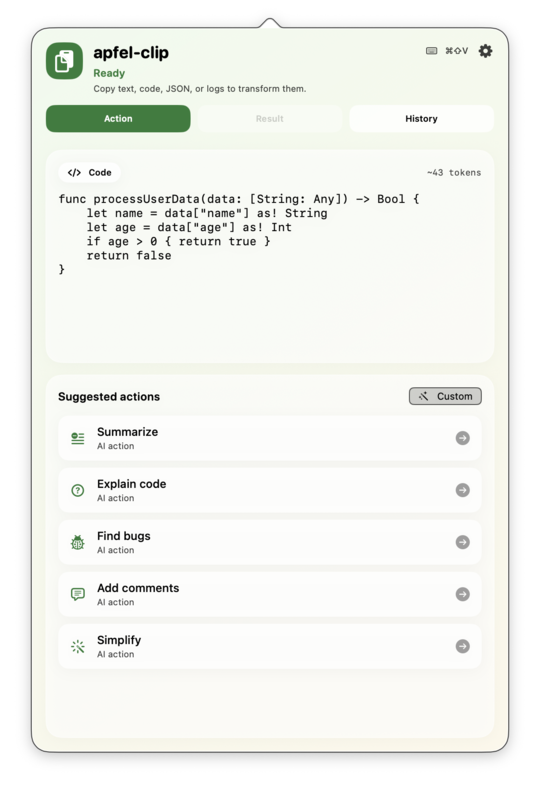
Text, code, a stack trace, JSON. The app detects the content type and shows the right actions automatically.
The popover opens from any app with tailored actions for prose, code, errors, or JSON.
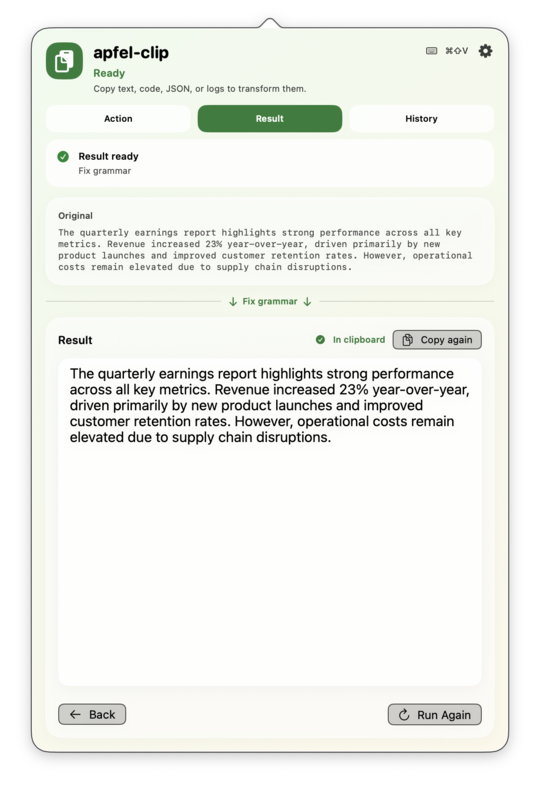
Run an action. The result lands in your clipboard ready to paste, or review it first in the result panel.
apfel-clip runs entirely on your Mac using Apple's on-device model.
Required for Apple Intelligence. Apple menu > System Settings > Software Update.
Apple Intelligence runs on-chip only. Apple menu > About This Mac must say M1, M2, M3, or M4.
Enable in System Settings > Apple Intelligence & Siri. Requires English device language.
Free. Signed and notarised. Apple Silicon only.
Download the zip, unzip, drag apfel-clip.app to your Applications folder, and open it. That is it.
Download free (arm64)Signed and notarised by Apple. macOS opens it without any security warning.
brew install --cask arthur-ficial/tap/apfel-clip
Handles updates with brew upgrade --cask apfel-clip.
See GitHub for full build instructions.
Designed around the fastest copy, transform, paste flow.
No API keys, no network calls, no data sent anywhere. Powered by apfel — bundled inside.
Detects text, code, JSON, and errors. Shows only the relevant actions for what you copied.
⌘⇧V opens the popover from any app, any time, no matter what is focused.
Turn any prompt into a named action with a label. It shows up in the action list automatically.
Star, hide, and drag to sort your action list. Your workflow, your order.
Enable auto-copy and the transformed text lands in your clipboard the moment the model finishes.
Smart content detection shows the right actions for whatever you copied.
Fix grammar, rewrite tone, translate, summarise, bullet points.
Explain, find bugs, add comments, simplify. Switched on automatically when you copy code.
Side-by-side original and result. Edit in place, copy, or run the action again.
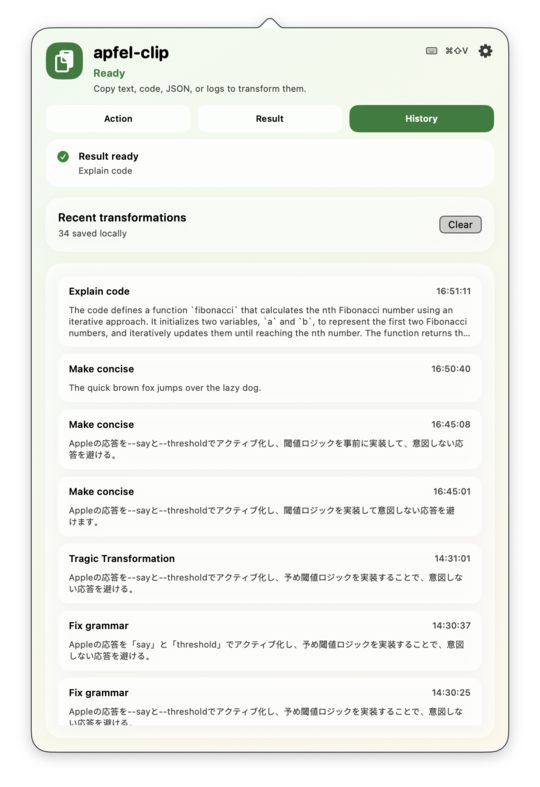
Every transformation saved locally. Re-copy or revisit past results without rerunning.
MIT-licensed. Use it, fork it, ship it. Bug reports, pull requests, and new action ideas all welcome.